DNALLM - DNA Large Language Model Toolkit
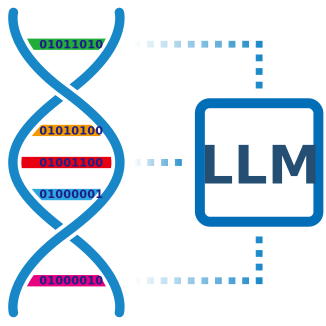
DNALLM-Suite is a comprehensive, open-source toolkit designed for fine-tuning and inference with DNA Language Models. It provides a unified interface for working with various DNA sequence models, supporting tasks ranging from basic sequence classification to advanced in-silico mutagenesis analysis. With built-in Model Context Protocol (MCP) support, DNALLM-Suite enables seamless communication with traditional large language models, allowing for enhanced integration and interoperability in AI-powered DNA analysis workflows.
🚀 Key Features
- 🔄 Model Management: Load and switch between 150+ pre-trained DNA language models from Hugging Face and ModelScope
- 🎯 Multi-Task Support: Binary/multi-class classification, regression, NER, MLM, and generation tasks
- 📊 Benchmarking: Multi-model performance comparison and evaluation metrics
- 🔧 Fine-tuning: Comprehensive training pipeline with configurable parameters
- 📱 Interactive Interfaces: Jupyter notebooks and Marimo-based interactive demos
- 🌐 MCP Support: Model Context Protocol for server/client deployment with real-time streaming
- 🧬 Advanced Analysis: In-silico mutagenesis, saturation mutation analysis, and mutation effect visualization
- 🧪 Comprehensive Testing: 200+ test cases covering all major functionality
🧬 Supported Models
DNALLM-Suite supports a wide range of DNA language models including:
Masked Language Models (MLM)
- DNABERT Series: Plant DNABERT, DNABERT, DNABERT-2, DNABERT-S
- Caduceus Series: Caduceus-Ph, Caduceus-PS, PlantCaduceus
- Specialized Models: AgroNT, GENA-LM, GPN, GROVER, MutBERT, ProkBERT
Causal Language Models (CLM)
- EVO Series: EVO-1, EVO-2
- Plant Models: Plant DNAGemma, Plant DNAGPT, Plant DNAMamba
- Other Models: GENERator, GenomeOcean, HyenaDNA, Jamba-DNA, Mistral-DNA
Model Sources
- Hugging Face Hub: Primary model repository
- ModelScope: Alternative model source with additional models
- Custom Models: Support for locally trained or custom architectures
🖥️ Supported Platforms
DNALLM-Suite has been tested on a wide range of platforms and devices:
Platforms
- [Linux] [Windows] [MacOS]
Device
- CPU
- Nvidia GPU (CUDA)
- AMD GPU (ROCm)
- Apple Silicon (MPS)
- Huawei Ascend NPU (CANN)
- Intel Arc GPU (XPU)
🚀 Quick Start
DNALLM-Suite uses conda for environment management and uv for dependency management and packaging.
- Install dependencies (recommended: uv)
# Clone repository
git clone https://github.com/zhangtaolab/DNALLM.git
cd DNALLM

# Create conda environment
conda create -n dnallm python=3.12 -y

# Activate conda environment
conda activate dnallm

# Install uv in conda environment
conda install uv -c conda-forge

# Install DNALLM with all optional dependencies
uv pip install -e '.[all]'

# Or install only core + base development tools
# uv pip install -e '.[base]'

# Add GPU support (choose ONE: cpu, cuda121, cuda124, cuda126, cuda128, cuda130, rocm)
# uv pip install -e '.[all,cuda124]'

# Verify installation
python -c "import dnallm; print('DNALLM installed successfully!')"
For NPU support such as Huawei Ascend, see installation section.
-
Basic Model Loading and Inference
from dnallm import load_config, load_model_and_tokenizer, DNAInference # Load configuration configs = load_config("./example/notebooks/inference/inference_config.yaml") # Load model and tokenizer model_name = "zhangtaolab/plant-dnagpt-BPE-promoter_strength_protoplast" model, tokenizer = load_model_and_tokenizer( model_name, task_config=configs["task"], source="huggingface" ) # Initialize inference engine inference_engine = DNAInference(config=configs, model=model, tokenizer=tokenizer) # Make inference sequence = "AATATATTTAATCGGTGTATAATTTCTGTGAAGATCCTCGATACTTCATATAAGAGATTTTGAGAGAGAGAGAGAACCAATTTTCGAATGGGTGAGTTGGCAAAGTATTCACTTTTCAGAACATAATTGGGAAACTAGTCACTTTACTATTCAAAATTTGCAAAGTAGTC" inference_result = inference_engine.infer(sequence) print(f"Inference result: {inference_result}") -
In-silico Mutagenesis Analysis
from dnallm import Mutagenesis # Initialize mutagenesis analyzer mutagenesis = Mutagenesis(config=configs, model=model, tokenizer=tokenizer) # Generate saturation mutations mutagenesis.mutate_sequence(sequence, replace_mut=True) # Evaluate mutation effects predictions = mutagenesis.evaluate(strategy="mean") # Visualize results plot = mutagenesis.plot(predictions, save_path="mutation_effects.pdf") -
Model Fine-tuning
from dnallm.datahandling import DNADataset from dnallm.finetune import DNATrainer # Prepare dataset dataset = DNADataset.from_huggingface( "zhangtaolab/plant-multi-species-core-promoters", seq_col="sequence", label_col="label", tokenizer=tokenizer, ) # Initialize trainer trainer = DNATrainer(model=model, config=configs, datasets=dataset) # Start training trainer.train() -
MCP Server Deployment
# Start MCP server for real-time DNA sequence prediction from dnallm.mcp import DNALLMMCPServer # Initialize MCP server server = DNALLMMCPServer("config/mcp_server_config.yaml") await server.initialize() # Start server with SSE transport for real-time streaming server.start_server(host="0.0.0.0", port=8000, transport="streamable-http") -
Launch Jupyter Lab, Marimo or Gradio App for interactive development
(1) Interactive Demos (Marimo)
# Fine-tuning demo
uv run --no-sync marimo run example/marimo/finetune/finetune_demo.py

# Inference demo
uv run --no-sync marimo run example/marimo/inference/inference_demo.py

# Benchmark demo
uv run --no-sync marimo run example/marimo/benchmark/benchmark_demo.py
(2) Jupyter Notebooks
# Launch Jupyter Lab
uv run --no-sync jupyter lab

# Available notebooks:
# - example/notebooks/finetune_binary/ - Binary classification fine-tuning
# - example/notebooks/finetune_multi_labels/ - Multi-label classification
# - example/notebooks/finetune_NER_task/ - Named Entity Recognition
# - example/notebooks/inference/ - Model inference
# - example/notebooks/in_silico_mutagenesis/ - Mutation analysis
# - example/notebooks/inference_for_tRNA/ - tRNA-specific analysis
# - example/notebooks/generation_evo_models/ - EVO model inference
# - example/notebooks/lora_finetune_inference/ - LoRA fine-tuning
# - example/notebooks/embedding_attention.ipynb - Embedding and attention analysis
# - example/notebooks/finetune_custom_head/ - Custom classification head
# - example/notebooks/finetune_generation/ - Sequence generation
# - example/notebooks/generation/ - Sequence generation examples
# - example/notebooks/generation_megaDNA/ - MegaDNA model inference
# - example/notebooks/interpretation/ - Model interpretation
# - example/notebooks/data_prepare/ - Data preparation examples
# - example/notebooks/benchmark/ - Model evaluation and benchmarking
(3) Web-based UI (Gradio)
# Launch Gradio configuration generator app
uv run --no-sync python ui/run_config_app.py

# Or run the model config generator directly
uv run --no-sync python ui/model_config_generator_app.py

# For Generation, we also provide a app
uv run --no-sync python ui/generation_task_app.py
🎯 Supported Task Types
DNALLM-Suite supports the following task types:
- EMBEDDING: Extract embeddings, attention maps, and token probabilities for downstream analysis
- MASK: Masked language modeling task for pre-training
- GENERATION: Text generation task for causal language models
- BINARY: Binary classification task with two possible labels
- MULTICLASS: Multi-class classification task that specifies which class the input belongs to (more than two)
- MULTILABEL: Multi-label classification task with multiple binary labels per sample
- REGRESSION: Regression task which returns a continuous score
- NER: Token classification task which is usually for Named Entity Recognition
🏗️ Project Structure
DNALLM/
├── dnallm/                  # Core library package
│   ├── cli/                 # Command-line interface
│   ├── configuration/       # Configuration management
│   ├── datahandling/        # Dataset processing
│   ├── finetune/            # Fine-tuning pipeline
│   ├── inference/           # Inference & analysis tools
│   ├── models/              # Model loading & registry
│   ├── tasks/               # Task definitions & metrics
│   ├── utils/               # Utility functions
│   └── mcp/                 # MCP server implementation
├── cli/                     # Legacy CLI scripts (deprecated)
├── example/                 # Examples & tutorials
│   ├── marimo/              # Interactive Marimo apps
│   └── notebooks/           # Jupyter notebooks
├── docs/                    # Documentation
├── tests/                   # Test suite
├── ui/                      # Gradio web interfaces
├── scripts/                 # Development scripts
├── .github/                 # GitHub workflows
├── pyproject.toml           # Project configuration
└── README.md                # This file
📖 Documentation
For more details, please refer to the following guidelines.
- Getting Started - Installation and basic usage
- API Reference - Detailed function documentation
- Concepts - Core concepts and architecture
-
FAQ - Common questions and solutions
-
DeepWiki - A documentation that can ask
🤝 Contributing
We welcome contributions! Please see our Contributing Guide for details on:
- Code style and standards
- Testing requirements
- Pull request process
- Development setup
- Development setup
📄 License
This project is licensed under the MIT License.
🙏 Acknowledgments
- Hugging Face - Model hosting and transformers library
- ModelScope - Alternative model repository
📞 Support
- Documentation: docs/
- Issues: GitHub Issues
- Discussions: GitHub Discussions
- Examples: Check the
example/directory for working code
DNALLM - Empowering DNA sequence analysis with state-of-the-art language models.